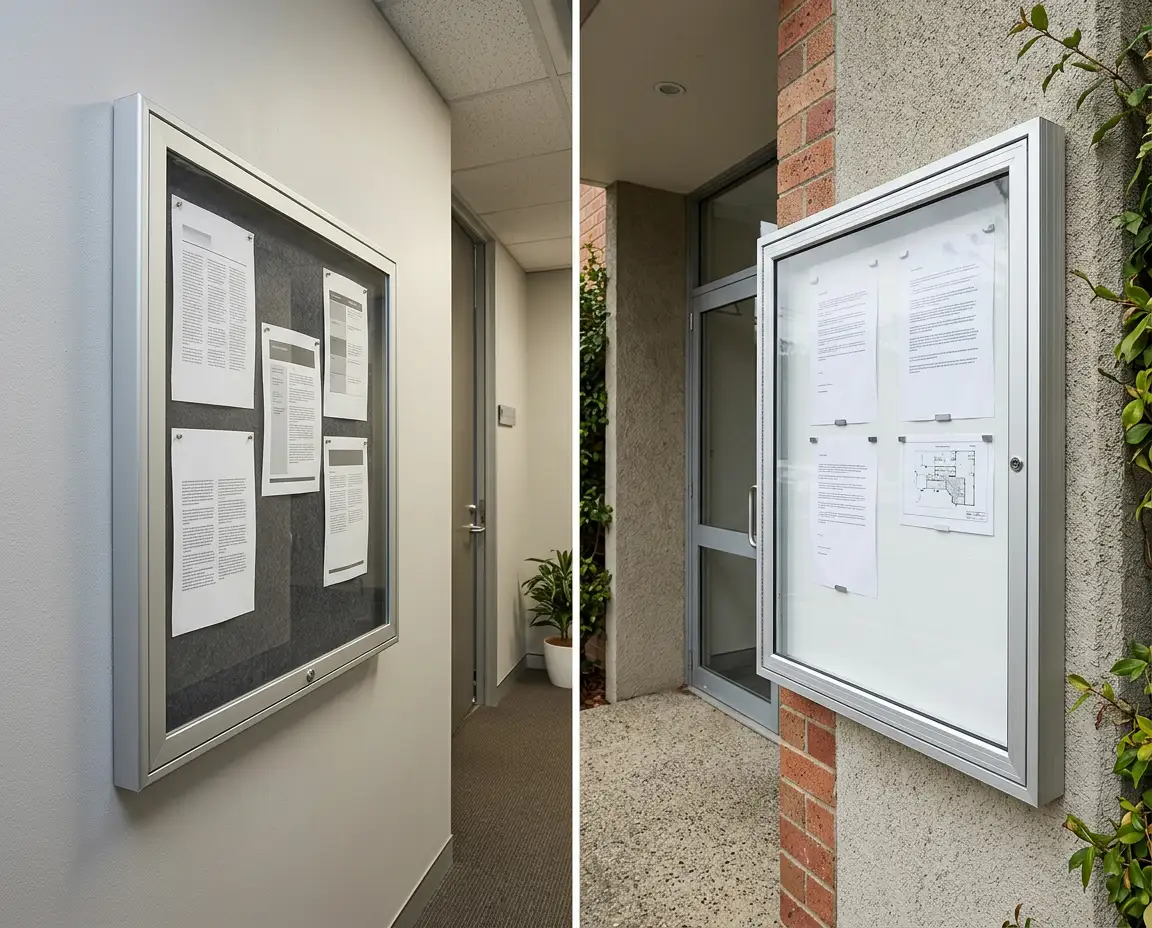
A lockable display case protects notices, schedules, certificates, artwork and public information while keeping the content visible. The right model depends on its location, the number of documents displayed, how frequently they change and the level of access control required.
Indoor display cases suit protected offices, schools, staff rooms and commercial interiors. Weather-resistant models are designed for external or exposed locations, subject to the individual product specification and installation conditions. Sliding doors reduce the clearance needed in front of the case, while hinged doors provide broad access when replacing larger displays.
Whiteboards and Pinboards offers display boards and display cases with different door styles, backing surfaces, sizes and location ratings. Selecting the right combination helps keep information secure, organised and easy to update.
1. Define What the Display Case Needs to Protect
Start with the content that will be placed inside the case. A small frame holding one event poster has different requirements from a large school notice case containing timetables, policies and community announcements.
Common display materials include:
• A4 notices and policy documents
• Rosters and schedules
• Event posters
• Certificates and awards
• Student artwork
• Safety information
• Menus and venue information
• Maps and wayfinding documents
• Marketing materials
• Club and community announcements
Then consider why the content requires protection.
A lockable case may be appropriate when notices need to be protected from:
• Unauthorised removal
• Accidental damage
• Frequent handling
• Tampering
• Dust and general wear
• Wind and moisture in suitable external locations
Not every display requires a cabinet. An open pinboard may be simpler when information is used by a small internal team and regular access is more important than security.
A lockable display case becomes more valuable when the content is public-facing, difficult to replace, formally approved or displayed in a high-traffic area.
2. Choose Between an Indoor and Weather-Resistant Display Case
The installation environment is one of the most important selection factors.
Indoor Display Cases
Indoor display cases are designed for protected internal spaces such as:
• Office corridors
• Staff rooms
• School administration areas
• Libraries
• Training facilities
• Reception areas
• Healthcare interiors
• Clubhouses
• Community halls
These cases may use glass or polycarbonate doors and can include cork, fabric or magnetic backing surfaces.
Indoor models should not be installed outside unless the individual product specification explicitly permits it. An awning or covered walkway may reduce exposure, but it does not automatically make an indoor product suitable for external use.
Weather-Resistant Display Cases
A weather-resistant case is designed to provide additional protection in exposed areas. Appropriate applications may include entrances, covered external walkways, sporting facilities and outdoor community information points.
The available weather-resistant display case uses internal rubber seals and offers cork or magnetic whiteboard backing options. The exact suitability still depends on the installation location, mounting and degree of exposure.
Before ordering an external case, confirm:
• Expected rain exposure
• Direct sunlight
• Wind conditions
• Proximity to sprinklers
• Available shelter
• Wall construction
• Required sealing
• Maintenance access
• Product-specific installation instructions
Terms such as weather-resistant, weatherproof and waterproof should not be treated as interchangeable. Check the individual product specification rather than relying only on the category name.
3. Compare Sliding, Hinged and Snap-Frame Access
The way a case opens affects access, placement and the time required to update content.
Sliding-Door Display Cases
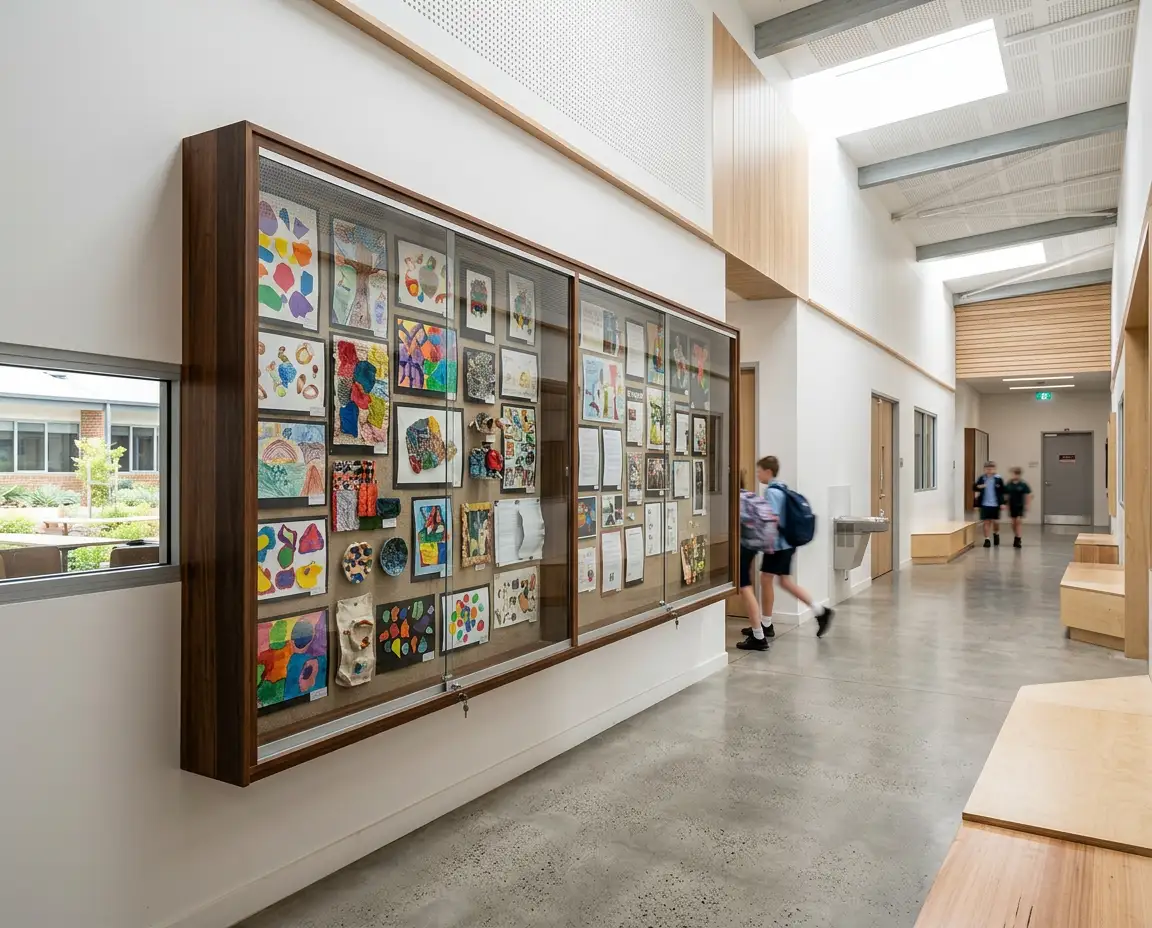
Sliding doors move horizontally along tracks instead of opening into the surrounding area.
They can suit:
• Narrow corridors
• Areas near furniture
• Large display cases
• Locations with limited forward clearance
• Displays updated from one side at a time
A sliding case allows content to be accessed without a door projecting into a walkway. The trade-off is that only part of the backing surface may be fully exposed at one time.
Current indoor sliding cases in the range include safety-glass doors, lockable access and cork or pinnable fabric backing choices. Other sliding configurations provide additional surface and size options.
Hinged-Door Display Cases
Hinged doors swing outward and can provide broad access to the display surface.
They are practical when:
• Large posters are changed regularly
• Several notices are replaced at once
• The case is installed in an open area
• Users need access to the complete backing surface
• Adequate door-swing clearance is available
Measure the surrounding area before selecting a hinged model. Doors should not obstruct a corridor, collide with nearby furniture or create an awkward working position during updates.
Indoor hinged cases in the current range include lockable polycarbonate-door models with pinnable fabric backing, as well as a smaller magnetic whiteboard display frame.
Snap Frames
Snap frames allow the perimeter sections to open so a poster or notice can be inserted behind a clear cover.
They are most suitable for:
• One poster or printed notice
• Menus
• Event information
• Opening hours
• Promotional material
• Frequently changed single-sheet displays
A snap frame is generally simpler than a deep, lockable notice cabinet. Check whether the selected frame provides the access control, weather protection and document capacity required for the location.
4. Decide How Much Security Is Required
A lockable case restricts casual access, but different environments require different levels of control.
Consider:
• Who is authorised to update the display
• Where keys will be stored
• How many people need access
• Whether replacement keys are available
• How often the case is opened
• The likelihood of tampering
• The value or sensitivity of the displayed content
A school corridor may need a lockable case to prevent notices from being removed or rearranged. An office staff room may only require protection from accidental disturbance. A public facility may need more controlled access because the information carries formal or operational importance.
Do not use a display case as a substitute for secure records storage. Confidential personal information, sensitive internal documents and material that should not be publicly visible require an appropriate information-management system.
Key management should be planned before installation. Assign responsibility for updates and retain spare keys in a controlled location.
5. Select the Right Backing Surface
The internal backing determines how notices are attached and how flexible the display will be.
Cork Backing
Cork is suited to drawing pins and push pins. It provides a familiar, practical surface for notices, schedules and printed materials.
Cork can be useful for:
• General office notices
• School information
• Community displays
• Rosters
• Frequently changed paper documents
Fabric or Felt Backing
Fabric and felt surfaces provide a softer appearance and can complement commercial interiors. Available colours vary by product.
Some surfaces may accept hook-and-loop fastening systems as well as pins, but this should be confirmed before purchasing.
Magnetic Whiteboard Backing
A magnetic whiteboard backing supports both handwritten information and documents attached with magnets.
It can suit:
• Changing schedules
• Safety updates
• Written announcements
• Temporary notices
• Displays combining text and printed documents
Confirm which markers, magnets and cleaning products are compatible with the surface.
Clear Display Systems
Some display boards hold paper or card between a clear front and a backing sheet. These can create a streamlined presentation for certificates, photographs, artwork and individual documents.
Where security is unnecessary, fixed pinboards may provide easier access and greater surface flexibility. For messages assembled from reusable characters rather than printed notices, letter boards may be more appropriate.
6. Calculate the Required Display Capacity
Display cases should be sized around their usable internal area, not only their overall external dimensions.
A practical approach is to calculate how many A4 sheets need to be displayed at one time.
Arrange representative documents on a table or wall and allow space for:
• Headings
• Gaps between notices
• Category labels
• Future additions
• Document removal
• Visual separation
• Emergency or priority information
Avoid placing notices edge to edge. A crowded display is difficult to scan, and important documents can become lost among less relevant material.
Consider the viewing distance as well. A case that fits twelve A4 pages may still be unsuitable if the documents use small text and viewers stand several metres away.
When comparing products, check:
• Overall case dimensions
• Internal display dimensions
• Door-frame width
• Usable backing area
• Internal depth
• Portrait or landscape orientation
• Number of standard sheets accommodated
If several departments share one case, divide the surface into defined sections before choosing the final size. A larger case is not automatically more effective unless the content is organised clearly.
7. Plan Placement, Height and Visibility
A display case should be easy to find, read and update without obstructing movement.
Suitable locations often include:
• Building entrances
• Reception areas
• Staff room approaches
• School corridors
• Community-centre foyers
• Lift lobbies
• Waiting areas
• Clubhouse entrances
• Training-room corridors
Assess the wall from the perspective of both the reader and the person maintaining the case.
Check:
• Normal viewing distance
• Mounting height
• Lighting conditions
• Reflections and glare
• Nearby doors
• Corridor width
• Furniture placement
• Accessibility of locks and handles
• Space needed to replace documents
Avoid locations where direct light makes the glazing difficult to see through. The display should not force readers to stand in a doorway or block a busy walkway.
Large cases should be positioned so authorised users can reach the full display surface safely. If the top section is difficult to access, notices may be poorly aligned or left outdated.

8. Match the Display Case to the Facility
Different settings place different demands on a display system.
Schools and Education Facilities
Schools may use lockable cases for:
• Timetables
• Policies
• Event notices
• Student achievements
• Parent information
• Examination schedules
• Sports announcements
High-traffic corridors generally benefit from clear organisation and controlled access. Sliding doors may suit narrow passageways, while hinged doors can be practical in larger administration or foyer areas.
Offices and Workplaces
Workplace display cases can hold:
• Policies and procedures
• Health and wellbeing information
• Rosters
• Emergency contacts
• Training notices
• Internal events
• Compliance reminders
An open board may be adequate inside a controlled staff area. A lockable case may be preferable near reception, in shared buildings or in areas used by visitors and contractors.
Healthcare and Public Facilities
Public-facing information needs to remain legible, current and organised. Lockable cases can help prevent unauthorised changes to approved notices.
Avoid overcrowding the display. Separate essential operational information from general announcements and review content on a set schedule.
Sporting Clubs and Community Organisations
Clubhouses, recreation centres and community facilities often display fixtures, membership information, event posters and meeting notices.
A weather-resistant case may be suitable near an external entrance, while an indoor case can serve a protected foyer or function area.
Hospitality and Retail
Restaurants, cafés, hotels and retail environments may use protected displays for menus, promotions, licences, awards or event information.
A single-sheet snap frame may be sufficient for one changing poster. Larger cases are better when several documents need to be secured and displayed together.
9. Plan Installation and Ongoing Maintenance
Wall-mounted display cases require suitable support. Large units with glass, doors and multiple documents can be considerably heavier than open pinboards.
Before installation, confirm:
• Wall construction
• Product weight
• Recommended fixings
• Stud or masonry locations
• Door or track clearance
• Mounting orientation
• Delivery access
• Number of people required for handling
• Any professional installation requirements
Inspect the delivery path as well as the final wall. Large cases may need to pass through lifts, corridors, doorways and stairwells.
After installation, establish a maintenance routine that includes:
• Cleaning the transparent cover
• Inspecting locks and keys
• Checking sliding tracks or hinges
• Reviewing external seals
• Removing outdated notices
• Replacing damaged backing material
• Checking wall fixings
• Confirming that doors close correctly
Use cleaning products suitable for the glazing and frame material. Abrasive pads or unsuitable chemicals may scratch clear surfaces or damage finishes.
10. Avoid Common Display Case Buying Mistakes
Several errors can make a display case difficult to use.
Choosing an Indoor Case for an Exposed Location
Confirm the location rating before ordering. Shelter alone may not provide enough protection for a product designed strictly for indoor use.
Buying Too Small
Allow room for spacing, headings and future notices. A display that is full immediately will become cluttered quickly.
Ignoring Door Clearance
Hinged doors require unobstructed swing space. Sliding doors may be more suitable in narrow corridors and compact areas.
Overlooking the Usable Display Area
The frame and door system reduce the internal area. Compare usable backing dimensions rather than external size alone.
Choosing the Wrong Backing
Decide whether users need pins, magnets, erasable writing or a clear document holder before selecting the surface.
Failing to Plan Key Control
Assign authorised users and store spare keys securely. A locked case is ineffective when nobody can locate the key.
Mounting the Case in a High-Glare Area
Test the location at different times of day. Reflections can make documents difficult to read.
Displaying Too Much Information
Remove outdated content and organise documents by purpose. A secure display still needs a clear visual hierarchy.
For broader guidance on open display surfaces, review the notice board buying guide.
Conclusion
The right lockable display case depends on its location, access requirements, door type, backing surface and document capacity. Indoor cases suit protected commercial and education environments, while weather-resistant models provide additional protection for suitable external locations.
Sliding doors reduce forward clearance, hinged doors provide broad access, and snap frames offer a simple way to protect individual posters. Cork and fabric backings support pinned notices, while magnetic whiteboard surfaces add writing and magnet functionality.
Measure the usable display area, assess the wall and decide who will manage the content before ordering. A well-selected case will keep important information protected, visible and easier to maintain.
For exclusive educator discounts, visit our Education Hub!