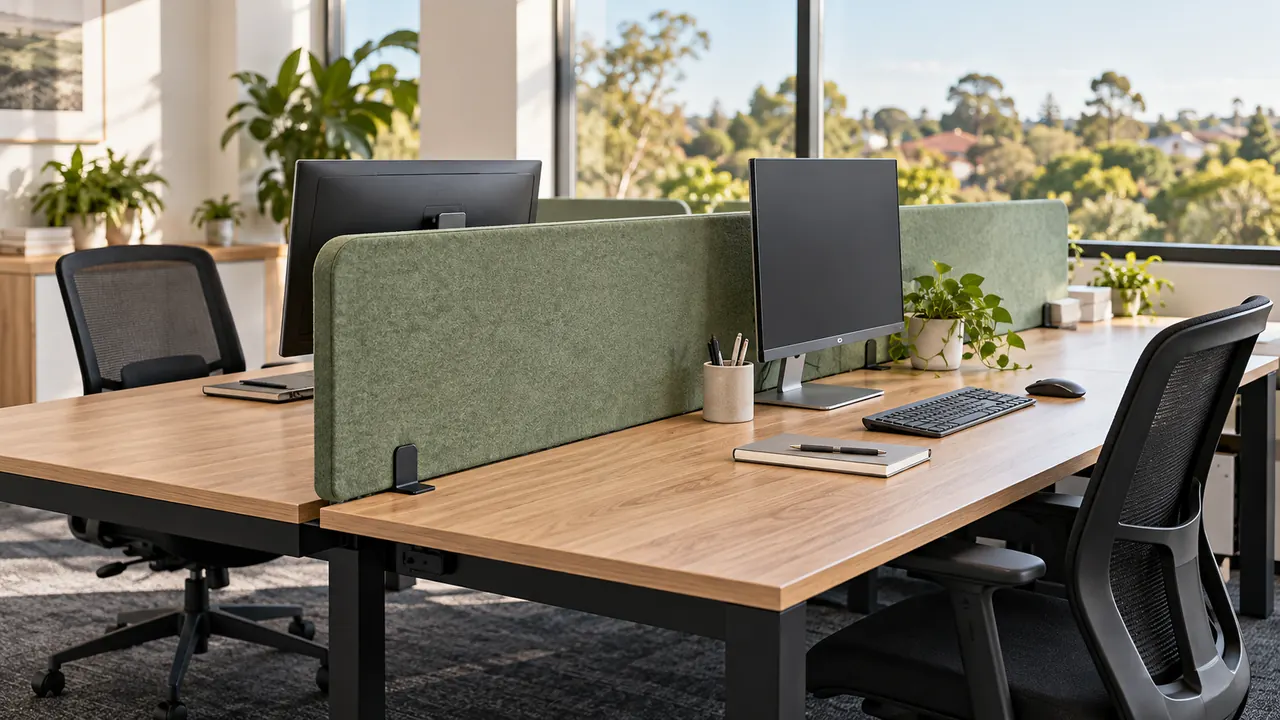
Acoustic desk dividers combine visual separation with sound-absorbing material to help make shared workspaces more comfortable. Choosing the right screen means checking its dimensions, mounting system and acoustic performance against the desks and working habits in your office.
For Australian workplaces, the most useful starting point is the problem you want to solve. A busy customer service team, a shared administration office and a library study area may need different screen heights and layouts.
Whiteboards & Pinboards supplies acoustic desk screens and partitions in desk-mounted, slide-on and freestanding configurations, allowing you to compare solutions for individual workstations and larger shared spaces.
1. Identify What Your Desk Dividers Need to Do
Before choosing colours or ordering matching panels, identify where distractions occur.
Are staff distracted by movement across neighbouring desks? Do people sit directly opposite one another? Are frequent phone calls competing with concentrated work? Does conversation continue to reverberate throughout the room?
These observations help distinguish three requirements:
• Visual privacy between workstations
• Sound absorption near occupied desks
• Broader acoustic treatment across the room
A desk privacy screen can interrupt sightlines and define individual work areas. An acoustic screen also introduces an absorptive surface, helping manage some of the sound reflections around those workstations.
However, open desks remain connected to the surrounding room. If confidential conversations must remain private, desk dividers alone should not be treated as an enclosed meeting space.
2. Check That the Screen Offers Acoustic Performance
Desk divider panels can look similar while serving different purposes.
A product intended mainly for visual separation may provide little information about sound absorption. When acoustic comfort matters, look for an identified acoustic material and supporting performance data.
Useful information includes:
• Panel material and thickness
• Available sound absorption test results
• The mounting arrangement used during testing
• Whether results apply to the finished screen or its component material
• Installation instructions for the selected configuration
Avoid judging performance from appearance alone. A felt-like finish or a thick profile does not tell you how a complete screen will perform in your office.
Acoustic absorption helps control reflected sound within a space. The result depends on the amount of absorptive material, its placement and the surrounding room, as well as the material itself.
3. Choose Screen Height From the Desktop Up
The relevant measurement is how far the divider extends above the working surface.
A product’s overall panel height may include a section below the desktop, depending on its design and mounting arrangement. Confirm the installed position before comparing different models.
As a practical selection approach:
• Lower screens can define work areas while preserving easier face-to-face interaction.
• Taller screens can provide greater visual separation, provided they intersect the sightlines you want to screen.
• Side screens can help separate adjacent workstations where a rear panel alone leaves neighbouring users exposed to movement.
For example, a screen extending 400mm above a 740mm-high desk reaches approximately 1140mm above the floor. A screen extending 600mm above that same desktop reaches approximately 1340mm.
These are layout calculations, not universal recommendations. Check the proposed height with people seated at their normal working positions.
Options such as the 400mm-high Acouline desk screens provide multiple panel widths, thicknesses and mounting selections to assess against your workstation layout.

4. Match Panel Width and Placement to Your Layout
Measure the usable mounting area rather than assuming a divider should match the desk’s nominal width.
Monitor arms, cable openings, desktop power modules and supporting frames can affect where a screen fits. A panel that looks suitable on a floor plan may interfere with equipment once installed.
Desks facing each other
A central screen can separate opposing work positions. Check whether it mounts to one desktop, uses a shared mounting arrangement or requires a particular gap between desks.
Desks positioned side by side
A side divider may be more useful when distractions come from the person immediately beside the user. Check how far it projects towards the front edge and whether it leaves enough working space.
Workstations requiring more enclosure
Combining rear and side panels can create a more defined personal workspace. Before ordering, check corner connections, bracket requirements and access to shared equipment.
For larger projects, sketch the complete arrangement and count each panel individually. The number of screens required will depend on which edges you intend to separate, not simply the number of desks.
5. Confirm Mounting Compatibility Before Ordering
Mounting details can determine whether an otherwise suitable acoustic desk divider will work with your furniture.
Check:
• Desktop thickness
• Clearance underneath the mounting edge
• Screen thickness supported by the bracket
• The position of desk frames, drawers and cable trays
• Whether drilling is required
• Whether brackets are included or purchased separately
Clamp-mounted desk screens
Clamps can be useful when adding screens to existing furniture, but compatibility varies. Confirm the clamp’s permitted desktop thickness and the space it needs around the desk edge.
For example, SANA Serenity desk screens are compatible with specified top, side and divide mounting systems. Each screen requires two clamps, sold separately, so include those components when comparing the complete purchase cost.
Slide-on desk dividers
Slide-on designs are worth considering where screens may need to be removed or repositioned. Their slot dimensions still need to suit the desktop.
The Autex Cove slide-on desk screen is listed as suitable for a standard 25mm-thick desktop. Check the chosen shape and pack configuration carefully, as the listing distinguishes between single-pack and multipack options.
Height-adjustable desks
For sit–stand workstations, confirm the screen and mounting system are suitable for the desk’s movement.
Check clearance throughout the full adjustment range, including nearby desks, walls, monitor arms and cables. Pay particular attention to shared screens between desktops that move independently.
6. Read Acoustic Ratings in Context
NRC stands for Noise Reduction Coefficient. It summarises sound absorption measured across selected frequencies under laboratory conditions.
It does not directly state how much quieter an occupied office will become. An NRC of 0.85, for example, should not be interpreted as an 85% reduction in overall workplace noise.
When comparing acoustic desk screens, ask whether the published results represent the panel thickness and installation you intend to use.
Where manufacturers provide different measurement types, request help interpreting them rather than treating the numbers as interchangeable. Ask for comparable performance information before deciding that one screen offers better absorption than another.
The practical buying decision should consider the screen’s tested performance alongside its size, position and suitability for the room.
7. Consider Whether the Room Also Needs Treatment
Desk partitions address conditions close to workstations. They may form only one part of a wider acoustic plan.
If conversations remain intrusive across the office, review the surrounding space. Extensive glazing, bare walls and other reflective surfaces can contribute to sound persisting beyond the immediate desk area.
Additional wall or ceiling absorption may be appropriate where room-wide reverberation is the main concern. Understanding when to choose wall or ceiling acoustic panels can help you assess how available surfaces and room layout influence the next step.
Also consider how different activities are arranged. Locating frequent calls directly beside concentrated work can create competing needs that screens alone will not fully resolve.
For a substantial fitout, trialling a representative workstation before ordering the full quantity can help you assess sightlines, usability and mounting compatibility.
8. Check Everyday Practicality
An office desk divider needs to work with the way people use their workspace.
Consider whether staff need to pin up reference sheets, share documents across desks or frequently rearrange equipment. Check the product’s care instructions and whether the surface is specifically described as pinnable.
Where displaying notes is important, choose a screen expressly designed for that use. Pinnability should be checked for the selected product rather than assumed across every acoustic panel.
When selecting colours, consider the screen alongside the desktop, seating and surrounding finishes. For a larger order, a physical sample can make it easier to assess colour and texture under your actual lighting.
9. Compare the Complete Cost of the Installation
The panel price is only one part of the purchasing decision.
For a useful comparison, include:
• Every required screen and connecting component
• The correct quantity and type of mounting brackets
• Freight to the delivery address
• Assembly or installation requirements
• Production time for made-to-order items
• Any work needed to reposition existing equipment
Keep panel dimensions, colours and mounting selections clearly recorded by workstation or room. This is particularly useful when one project contains several desk types.
A low initial panel price can become less attractive if essential brackets have been omitted or the selected mounting system does not suit the existing furniture.

Choose Acoustic Desk Dividers That Fit Your Workplace
Start with the distractions you want to address, then work through screen dimensions, mounting compatibility and acoustic information.
For a single desk, the priority may be a straightforward screen that fits the existing desktop. For a larger office or education project, consistent specifications and a clear installation plan become equally important.
Whiteboards & Pinboards supplies acoustic desk screens for commercial and education environments. Before ordering, gather your desk dimensions, desktop thickness, preferred layout and quantities so the complete screen and mounting configuration can be checked.